Plan the work your way
Board, list and calendar views over the same tasks, and My Tasks for everything that's yours. See the work, not the tool.
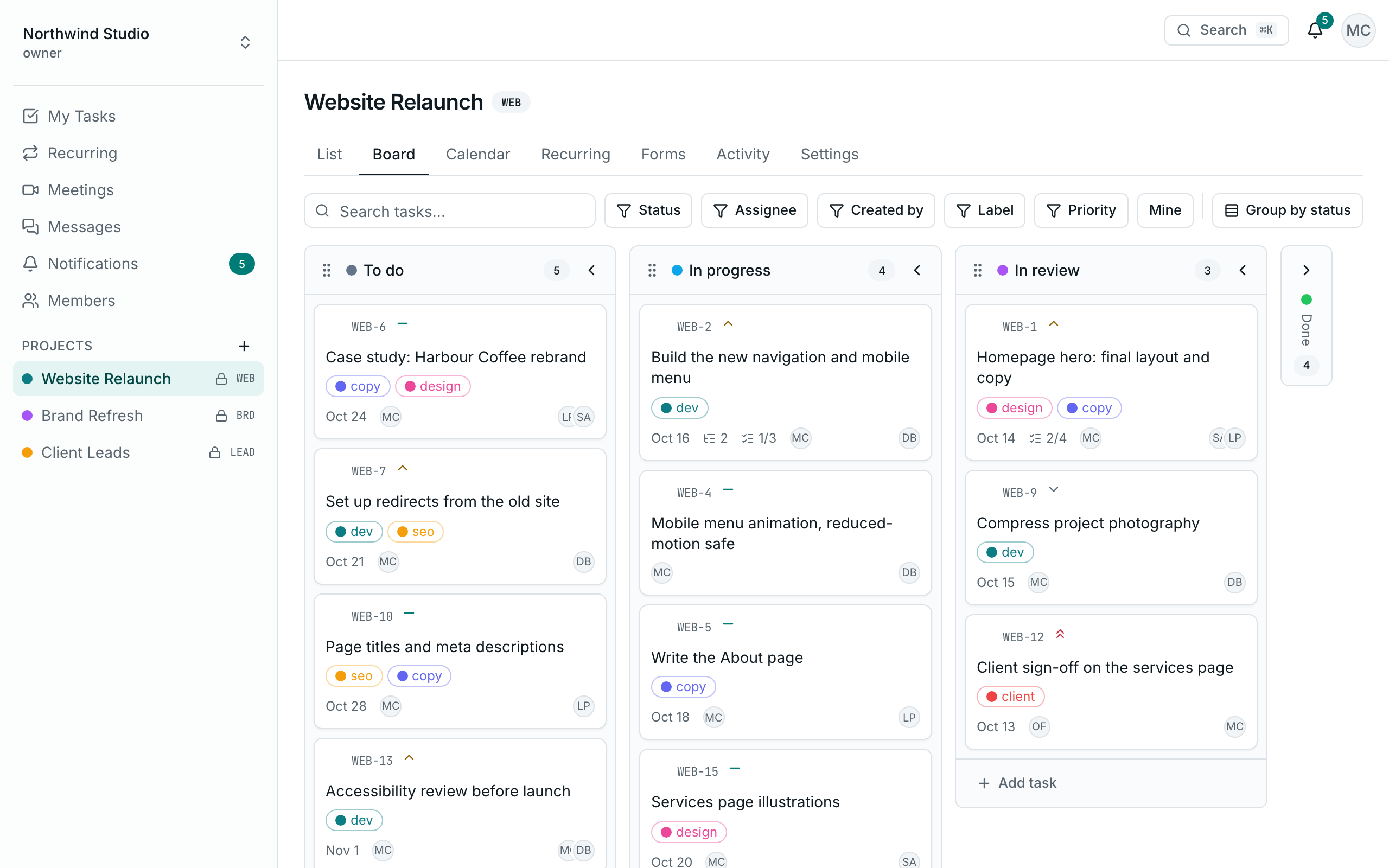
One project, seen three ways
Nothing is copied between views. Move a card on the board and the list and calendar already know.
Board
Drag cards between columns with a mouse, or pick one up and move it with the keyboard.
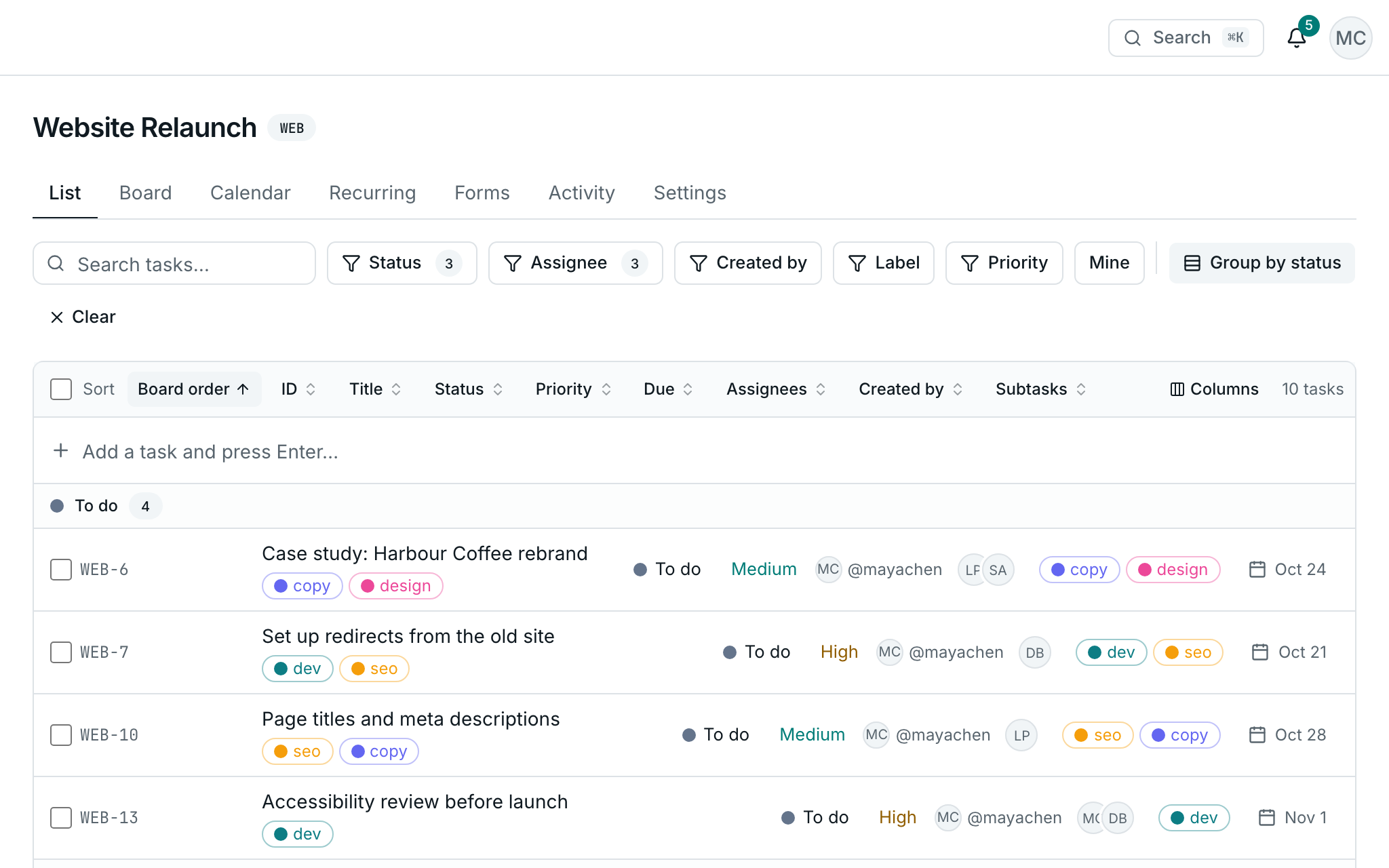
List
Sort by anything, group by status and hide the columns you don't use. Select rows to change many at once.
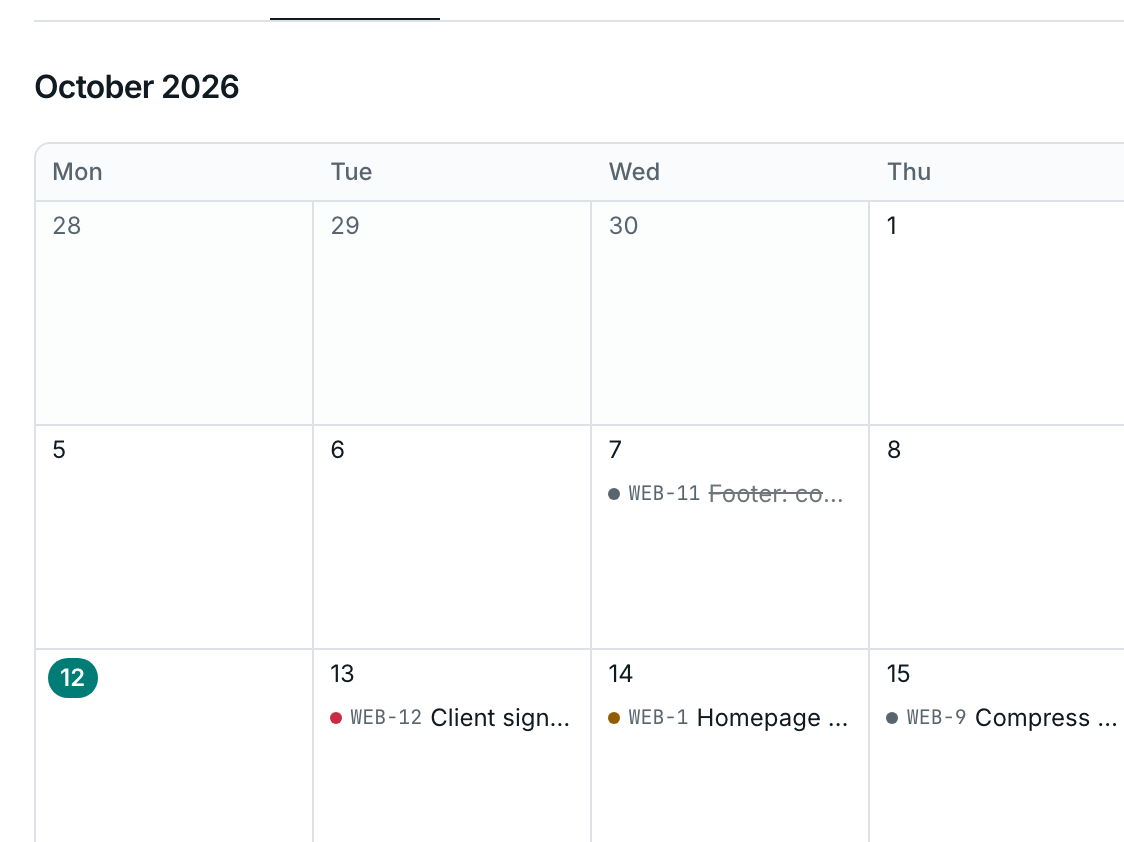
Calendar
Tasks by due date in a month view. On a small screen, the calendar becomes an agenda.
Share exactly what you're looking at
Filters, sorting, grouping and the task you have open all live in the link. Paste it to a teammate and they see the same view.
- Filter by status, assignee, label, priority or creator
- “Mine” narrows any view to your own tasks in one click
- Labels are coloured per project
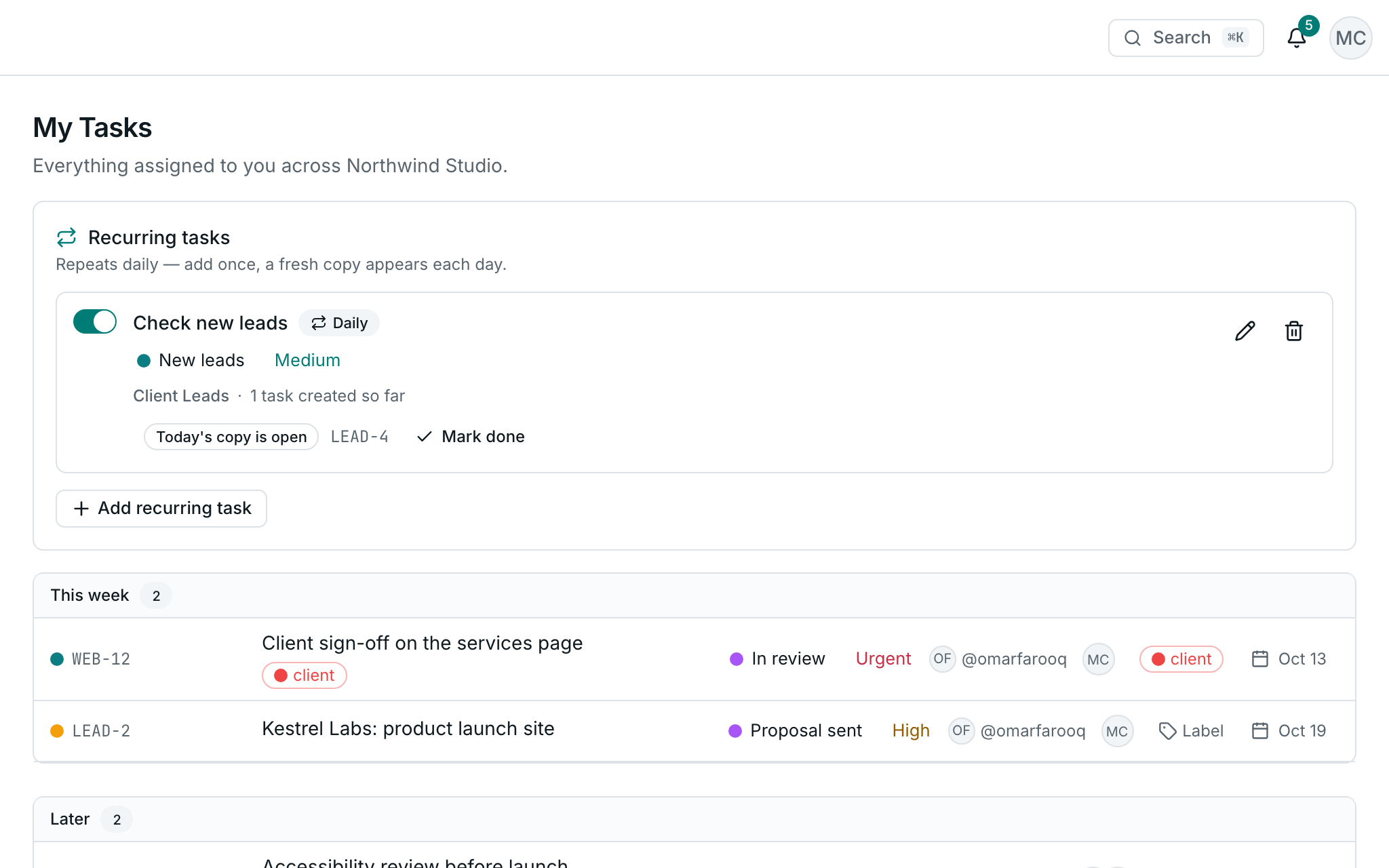
Everything that's yours, in one list
Every task assigned to you, across every project you can see, grouped by when it's due. Tick it off or change its status right there, in the web app and the mobile app.
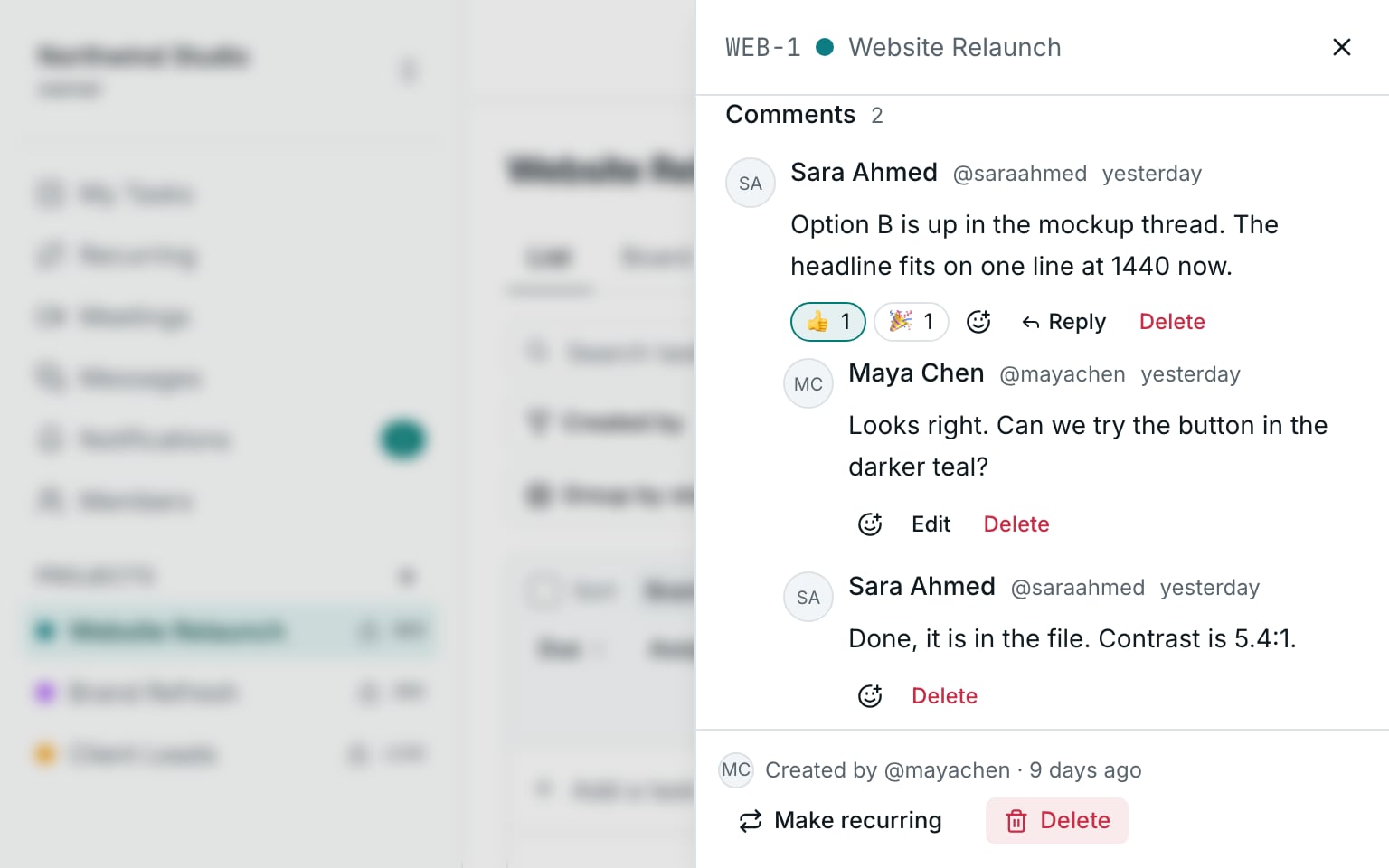
Discuss the task on the task
Comment, reply, react, and write @ to bring someone in. The right people hear about it, and nobody else.
- A new comment tells the task's creator and assignees
- A mention tells the person you name; only people who can see the task are suggested
- Replies one level deep, and reactions
Everything else a task needs
Recurring daily tasks
A fresh copy each day. Missed days aren't backfilled, so duplicates never pile up.
Checklists and subtasks
Tick off steps inside a task, or split it into subtasks one level deep.
Change many at once
Set status, priority, assignee or label on several tasks, move them, or delete them.
Due-date reminders
A daily reminder for tasks that are due, in your inbox and on your phone.
Instant changes
The screen changes the moment you press. Teammates see it without refreshing.
Assign with care
Only people who can see the project can be assigned. Admins are asked before someone is added.
Project activity
Every change to a project, in order: who moved, assigned or finished what, and when.
Clear edit rights
A task is edited by its creator, its assignees and admins. Guests read but never change.